
This tab lets you define the different types of notifications your system will use. These types control how notifications appear in the notification bell.
Adding a Notification Type #
- Click the Add Type button
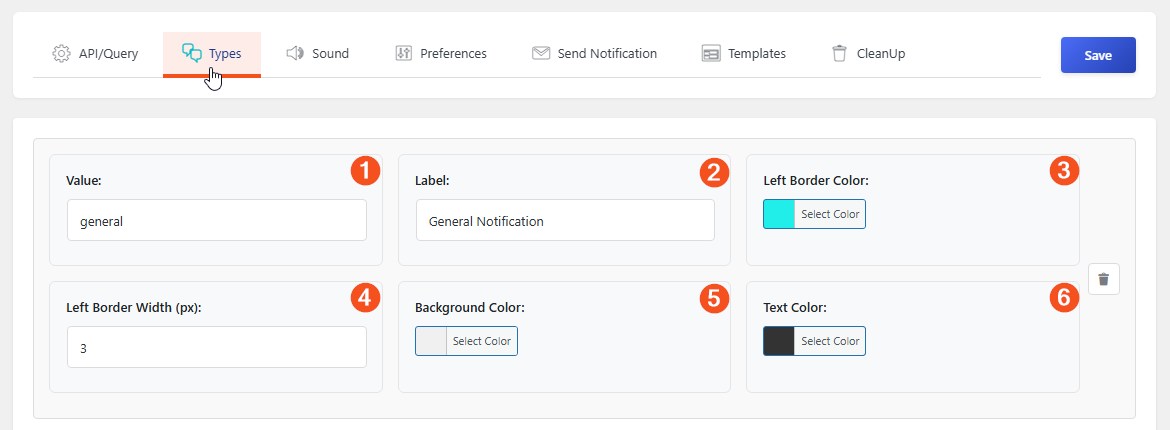
- Fill in the following fields:
Required Fields #
| Field | What It Does |
|---|---|
| 1. Value | The internal identifier (e.g., task, invoice, reminder) |
| 2. Label | The name users see (e.g., Task, Invoice, Reminder) |
Appearance Settings #
| Field | What It Does |
|---|---|
| 3. Left Border Color | The color of the left border on notification items |
| 4. Left Border Width (px) | How thick the border should be (1-10 pixels) |
| 5. Background Color | The background color of the type badge |
| 6. Text Color | The text color of the type badge |
Managing Types #
- Remove a Type — Click the trash icon to delete a type you no longer need
- Edit a Type — Simply change the values in the fields
Example: For a task management system, you might create types like:
- Task (blue border, light blue badge)
- Reminder (green border, light green badge)
- Alert (red border, light red badge)
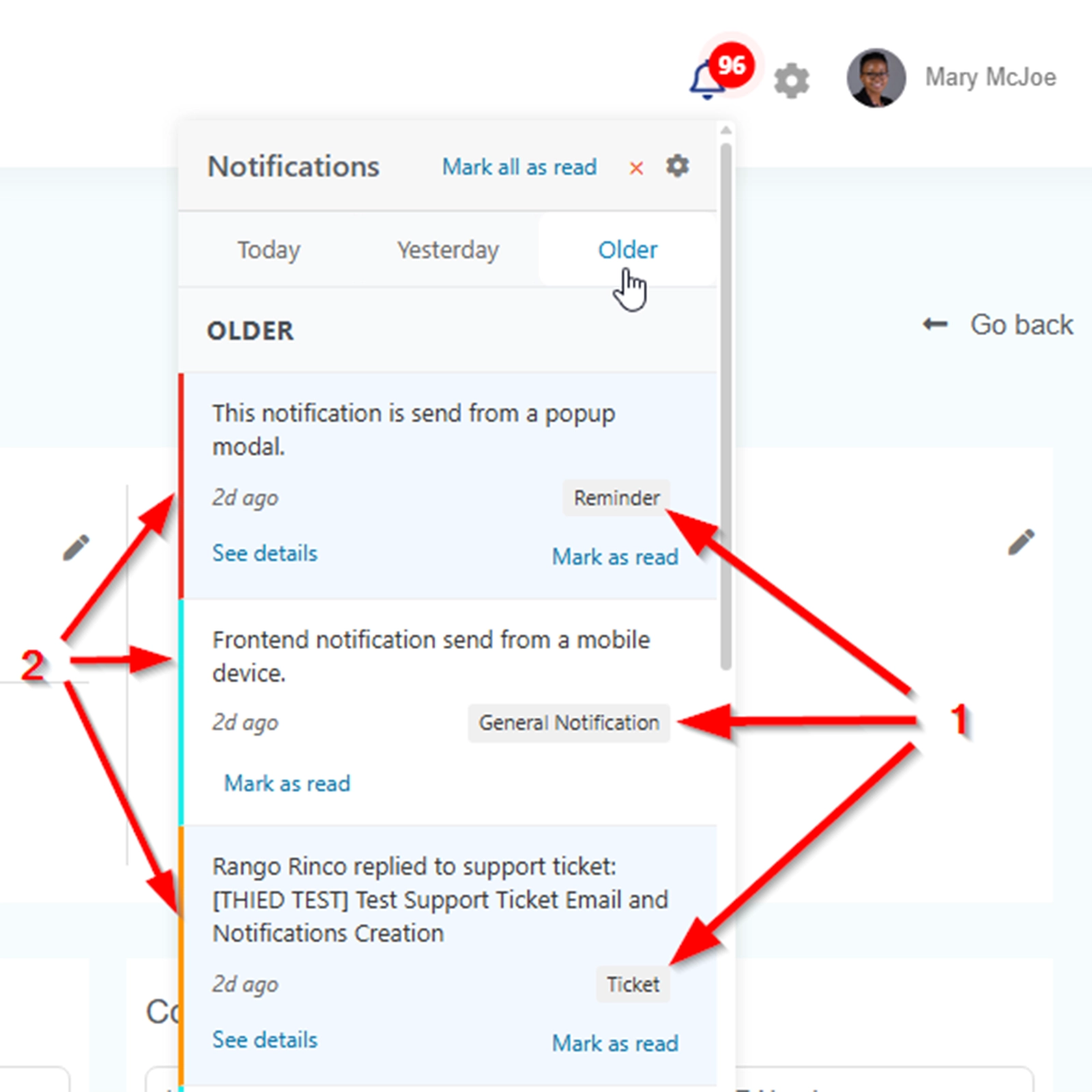
Frontend Example #
- 1 shows the labels
- 2 shows the left borders