

This tab lets you create preference groups that users can customize on the frontend. Each preference group corresponds to a notification type.
Understanding Preference Groups #
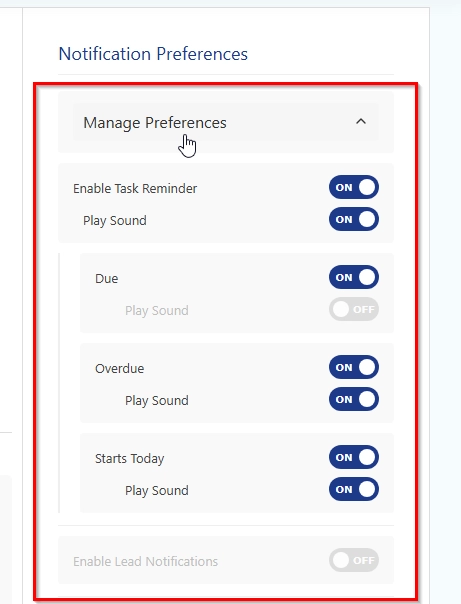
A preference group is a set of options users can turn on or off. For example:
- Task Reminders (preference group)
- Enable Task Reminders (main toggle)
- Play Sound for Tasks (sound toggle)
- Due Tasks (subtype)
- Overdue Tasks (subtype)
- Starts Today (subtype)
Adding a Preference Group #
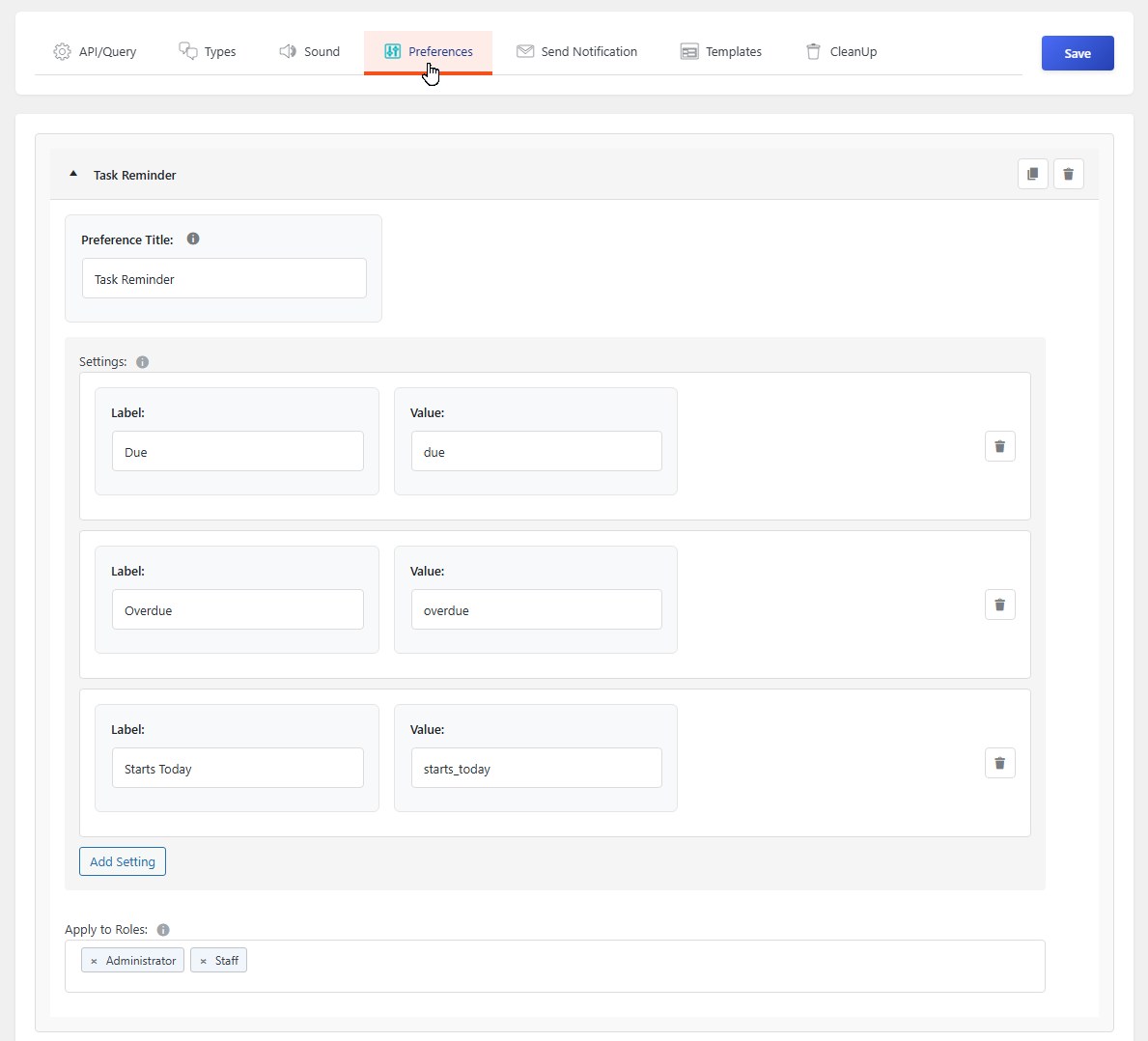
- Click the Add Preference button
- Fill in the following:
Preference Title #
Give your group a clear name. This is what users will see:
- “Task Reminders” → User sees “Enable Task Reminders”
- “Invoice Alerts” → User sees “Enable Invoice Alerts”
- “System Updates” → User sees “Enable System Updates”
Settings (Optional Subtypes) #
If your notification type has subtypes, you can add them here:
- Click Add Setting to add a subtype
- Label — What users see (e.g., “Due Tasks”)
- Value — The internal identifier (must match your notification subtype)
Apply to Roles #
Choose which user roles can see and customize these preferences:
- Hold Ctrl (or Cmd on Mac) to select multiple roles
- Only users with these roles will see these preferences
- If no roles are selected, the preferences won’t appear for anyone
Example Preference Groups #
Task Management System #
| Group Title | Settings | Roles |
|---|---|---|
| Task Reminders | Due Tasks, Overdue Tasks | Editor, Author |
| Task Comments | New Comments, Replies | All Logged-in Users |
Invoice System #
| Group Title | Settings | Roles |
|---|---|---|
| Invoice Notifications | New Invoice, Payment Received | Administrator, Accountant |
| Invoice Reminders | Overdue, Due Soon | Accountant, Client |
Support Ticket System #
| Group Title | Settings | Roles |
|---|---|---|
| Ticket Updates | New Reply, Status Change | Support Staff |
| Ticket Assignments | Assigned to Me | Support Staff |
Managing Preferences #
- Duplicate — Click the copy icon to duplicate an existing preference group
- Remove — Click the trash icon to delete a preference group


