
Nelx JFB Email Template is a powerful WordPress plugin that extends JetFormBuilder by adding advanced email capabilities. Whether you’re running a simple contact form or a complex multi-step application system, this plugin gives you complete control over every email sent from your forms.
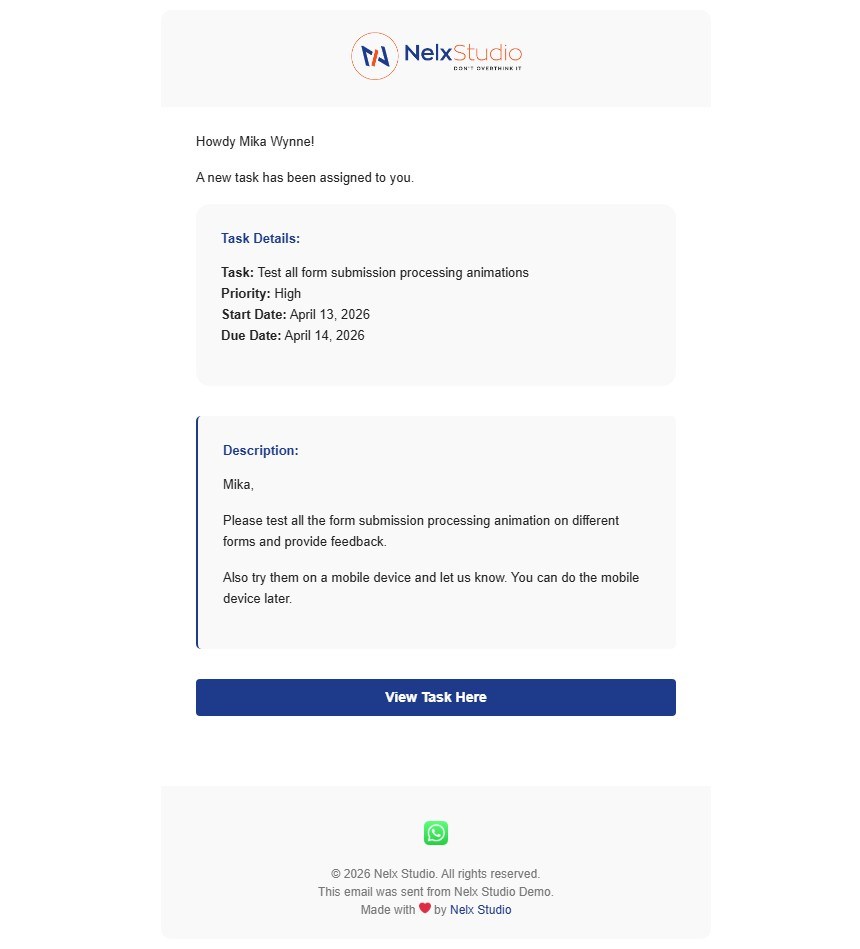
What Does It Do? #
At its core, the plugin captures form submissions from JetFormBuilder and sends beautifully formatted emails based on templates you create. But it doesn’t stop there — it offers sophisticated features that transform how you manage form communications:
- Send emails just the way you want — Choose between standard email addresses, user IDs from form fields, or entire WordPress user roles.
- Distribute work evenly — Use rotation (round-robin) to assign form submissions to team members one at a time.
- Route based on answers — Conditional logic sends emails to different recipients depending on what users select in the form.
- Enable ticket-style conversations — Smart Recipient tracks who is replying (author vs. assignee vs. third party) and routes replies intelligently.
- Create in-app notifications (optional) — Work with the Nelx Notification System plugin to create JetEngine CCT notifications when emails are sent.
- Show professional modals — Display confirmation dialogs and processing animations when users submit forms.
- Maintain brand consistency — Global email branding with logos, colors, buttons, and social links applies to all emails.
- Format complex repeater data — Repeater fields automatically display as responsive tables (desktop) or stacked cards (mobile) with support for glossary lookups and option humanization.
- Display clean select/radio/checkbox values — Use glossary placeholders for perfect labels or options placeholders for automatic humanization of manual option values.
Who Is This For? #
| User Type | How They Benefit |
|---|---|
| JetFormBuilder Users | Generally, Nelx JFB Email Templates is designed and build to extend what JetFormBuilder does. |
| Support Teams | Assign tickets to team members in rotation, track who is handling each ticket, and enable smart replies between customers and staff. |
| HR & Recruiters | Route job applications to different hiring managers based on department selection, store assigned reviewer IDs for tracking. |
| Project Managers | Distribute task assignments evenly among team members, create notifications for new tasks, and maintain conversation threads. |
| Event Organizers | Send confirmation emails with personalized attendee data, attach uploaded files, and show professional processing modals. |
| Any Website That Wants To: | Maintain brand consistency across all client communications, use conditional logic for multi-client forms, and track assignment history. |
How It Works #
- Create a template — Select any JetFormBuilder form and configure who receives emails.
- Set up conditions — Define when different recipients should receive emails based on form answers.
- Enable advanced features — Turn on rotation, smart recipient, or notifications as needed.
- Design your email — Use placeholders to insert form data, recipient information, post data, and repeater fields into subject lines and content.
- Format select/radio/checkbox values — Use
{field:glossary|id}for glossary-sourced options or{field:options}for manual options to display clean, readable labels. - Display repeater data— Simply use
{repeater_field}and the plugin automatically formats tables and mobile cards. For sub-field processing, use{repeater|subfield1:glossary|.
id,subfield2:options} - Brand your emails — Set global logos, colors, buttons, and footers that apply to all templates.
- Configure modals — Set confirmation dialogs and processing animations for a polished user experience.
- Activate — Toggle the template on (always on by default), and emails will be sent automatically on form submission.
Requirements #
| Requirement | Details |
|---|---|
| WordPress | Version 6.2 or higher |
| JetFormBuilder | Version 3.6 or higher (required) |
| PHP | Version 7.4 or higher |
| JetEngine | Required for CCT notifications (optional) |
| Nelx Notification System | Required for in-app notifications (optional) |
| Nelx Secure Docs | For secure file attachments with original filenames (optional) |
What Makes This Plugin Different? #
Unlike standard forms that simply send plain emails to fixed addresses, Nelx JFB Email Template offers:
- Email Branding — Send branded emails to users.
- Dynamic recipient selection — Recipients can change based on form data, user roles, or stored post meta.
- Built-in rotation system — Perfect for support teams and task distribution without external tools.
- Conversation intelligence — Smart Recipient tracks who is replying and routes emails accordingly, creating true two-way conversations.
- Post meta storage — Store assigned user IDs directly in posts for reporting and conditional logic.
- CCT notifications — Create in-app notifications alongside emails for a complete communication system.
- Per-template styling — Override global message box styling for specific templates when needed.
- Responsive buttons — Button alignment can be set separately for desktop, tablet, and mobile devices.
- Smart repeater handling — Repeater fields automatically display as responsive tables on desktop and stacked cards on mobile, with support for glossary lookups and option humanization on individual sub-fields.
- Clean option values — Transform
private_limitedto
Private Limited with glossary or options placeholders while preserving acronyms like CEO, CFO, API, and PDF.
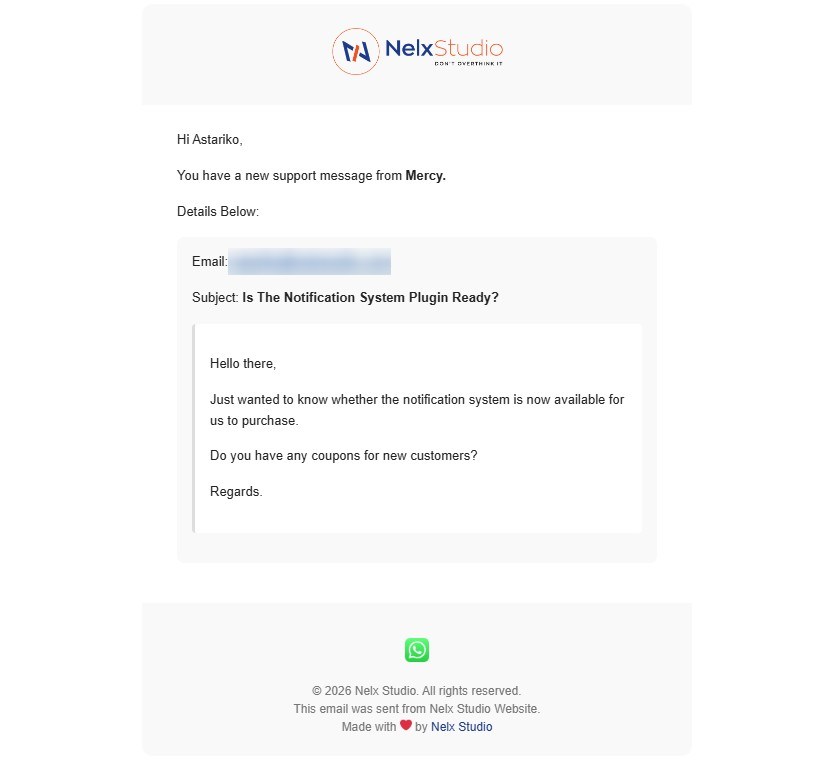
Key Features #
Email Delivery Features #
| Feature | Description |
|---|---|
| Multiple Recipient Types | Standard emails, User ID fields, or User Roles |
| Rotation (Round-Robin) | Distribute submissions evenly among recipients |
| Conditional Recipients | Send to different people based on form answers with AND/OR logic groups |
| Smart Recipient | Ticket-style conversation routing between authors, assignees, and third parties |
| Post Meta Storage | Store recipient or rotated user IDs in post meta for tracking |
| File Attachments | Attach uploaded files from your form to emails |
| Reply-To Support | Set custom reply-to addresses per template |
Content Personalization #
| Feature | Description |
|---|---|
| Form Field Placeholders | {first_name}, {email}, or any field from your JetFormBuilder form |
| Recipient Placeholders | recipient:first-name, recipient:last-name, recipient:username, recipient:displayname, recipient:name |
| Current User Placeholders | currentuser:first-name, currentuser:last-name, currentuser:displayname, currentuser:username, currentuser:name |
| Post Data Placeholders | {post_id:inserted}, {post_title:inserted}, {post_url:inserted} |
| Post Meta Placeholders | {post_meta:key} — retrieve custom fields from inserted posts |
| Date/Time Formatting | {date_field:date}, {time_field:time}, {datetime_field:datetime} |
| Term Labels | {category_field:term} — shows term name instead of ID |
| Glossary Options | {field_name:glossary|id} — displays label from glossary instead of raw value |
| Manual Options | {field_name:options} — automatically humanizes option values (converts underscores/hyphens to spaces, capitalizes words, preserves acronyms) |
| Repeater Fields (Simple) | {repeater_name} — automatically displays all repeater data as responsive tables (desktop) and cards (mobile) |
| Repeater Fields (Advanced) | {repeater|subfield1:glossary|id,subfield2:options} — processes specific sub-fields with glossary lookup or option humanization while displaying ALL sub-fields |
| Button Macros | [button:{url}]Text[/button] — creates styled, clickable buttons |
| Section Styling Macros | %section%...%/section% — apply custom styles to content blocks |
Repeater Field Display Features #
| Feature | Description |
|---|---|
| Responsive Tables | On desktop/tablet, displays as HTML tables with horizontal scroll, sticky headers, and alternating row colors |
| Mobile Cards | On phones, automatically switches to stacked card layout for easy reading |
| Sub-field Processing | Specify which sub-fields need glossary lookup or option humanization while leaving others raw |
| ALL Fields Displayed | Both layouts show every sub-field – no data is hidden |
| Automatic Formatting | No complex coding needed – just use {repeater_name} or {repeater_name|config} |
Notification System Integration (optional) #
| Feature | Description |
|---|---|
| In-App Notifications | Create JetEngine CCT notifications automatically |
| Event Type Selection | Choose from your CCT’s configured event types |
| Custom Messages | Use placeholders for notification content |
| URL Linking | Link notifications to posts or custom URLs |
| Condition Notifications | Different notifications per conditional recipient group |
Form Submission Modals #
| Feature | Description |
|---|---|
| Confirmation Modal | Ask users to confirm before submitting |
| Processing Modal | Show animated feedback during form submission |
| 8 Animation Styles | Hourglass, Flying Envelope, Bars, Spinning Dots, Running Dots, Pulse Ring, Bouncing Dots, Wave Bars |
| Global Defaults | Set once, apply to all forms |
| Form-Specific Overrides | Customize per form as needed |
| Live Preview | See modal styling changes in real time |
| Fully Customizable Colors | Animation, buttons, text, background, and border colors |
Email Branding #
| Feature | Description |
|---|---|
| Custom Logo | Upload your logo with alignment options |
| Container Border & Shadow | Add border and box shadow to email containers (global) |
| Global Message Box Styling | Consistent styling for all message boxes (override per template) |
| Button Styling | Colors, hover effects, padding, border radius, font size, font weight |
| Responsive Buttons | Different alignment per device (desktop, tablet, mobile) |
| Social Media Icons | Add links with custom icons in email footers |
| Footer Text | Custom HTML footer with year placeholder [year]/{year} |


